
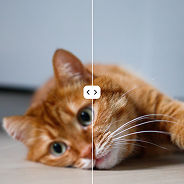
2× upscale
Enlarge a photo to twice the original size.
Upload a JPEG, PNG, or WebP and enlarge it with AI. Preview first, then use credits to download a sharper HD photo.
By uploading, you accept the Terms of Service and Privacy Policy.
No file handy? Try a sample.
Upload your own image to process it.
Related photo tools on this site.
Enlarge a photo to twice the original size.
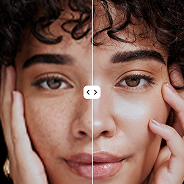
Enlarge a photo to four times the original size.
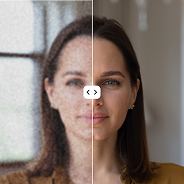
Download the result as JPEG.
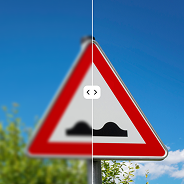
Download the result as PNG.
Download the result as WebP.
Review a preview before spending credits.
See subscription and credit pack options.
Read how upload, scale, and download work.

Sign in to keep the processed file.
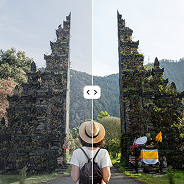
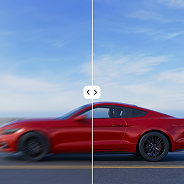
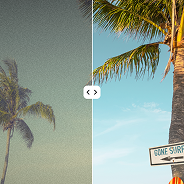
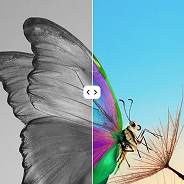
Compare the original photo with the upscaled result.


Use 2× or 4× on JPEG, PNG, or WebP files.

Run the same scale and format on the next photo.
Sign in to download the HD file with credits.

Upscale product or portrait shots before you publish them.
Preview first, then unlock the HD file.
Jump to the upscale workspace, pricing, or FAQ.
Upload a file and choose 2× or 4×.
Open toolCheck the result before download.
See previewUse credits to download the sharp HD photo.
View pricingJPEG, PNG, or WebP in and out.
Open toolHow upload, scale, and download work.
Read FAQFormats, scales, and result access.
Go to FAQSubscriptions and credit packs.
Go to pricingPricing
Subscribe for regular use, or buy a one-time credit pack.
Upload a photo, preview the result, then use credits to download.
$0.01 / credit
$179.50 per year
Yearly billing renews automatically.
Cancel anytime.
AI processing is not refundable. Preview first.
$0.03 / credit
$19.00 One-time
FAQ
Upload, scale, preview, and download.
Upload your photo, select 2× or 4×, and the AI enlarges resolution. Each upscale image job needs a signed-in account and credits. JPEG, PNG, and WebP are supported.
Upload a JPEG, PNG, or WebP, choose 2× or 4×, preview the result, then use credits to download a sharper HD photo.
The workspace creates a job, shows progress, then lets you compare before and after. Preview first. Credits unlock the download.
Use JPEG, PNG, or WebP up to 10 MB and 16 MP. Choose 2× or 4× if the output stays within 24 MP.